HerkulesPremium
4 сообщенийРегистрация 20 июн. 2025 г.
directional arrows that show visible and invisible enemies in the middle of the screen by direction
directional arrows that show visible and invisible enemies in the middle of the screen by direction
Web Radar or something similar
directional arrows that show visible and invisible enemies in the middle of the screen by direction
already have arrows in the v1 menu
.
already have arrows in the v1 menu
Yes, there are arrows that go directly to the opponent, but I mean arrows that only point in the direction like blurred.

Can someone explain what the "Snapline" setting is and what use it has while playing? (BO6 play only for me.) Thanks!

Snapline: Draw lines on your screen to the nearest visible enemies
Snapline: Draw lines on your screen to the nearest visible enemies
Thanks, I gave it a try and it was very much info overload for what I need. Just the ESP works for my use. :) Thanks again!

hi
I have an idea and a question
Is it possible to set colors not only with sliders but also more precisely like #FFFF
thanx

Zone prediction for big map and rebirth thanks !!!
Can we get the snapline back on the bottom like v1. I can’t see my opponents when shooting them. I would also like the snapline to turn a different color when visible and not visible just like Skelton @DIRECT
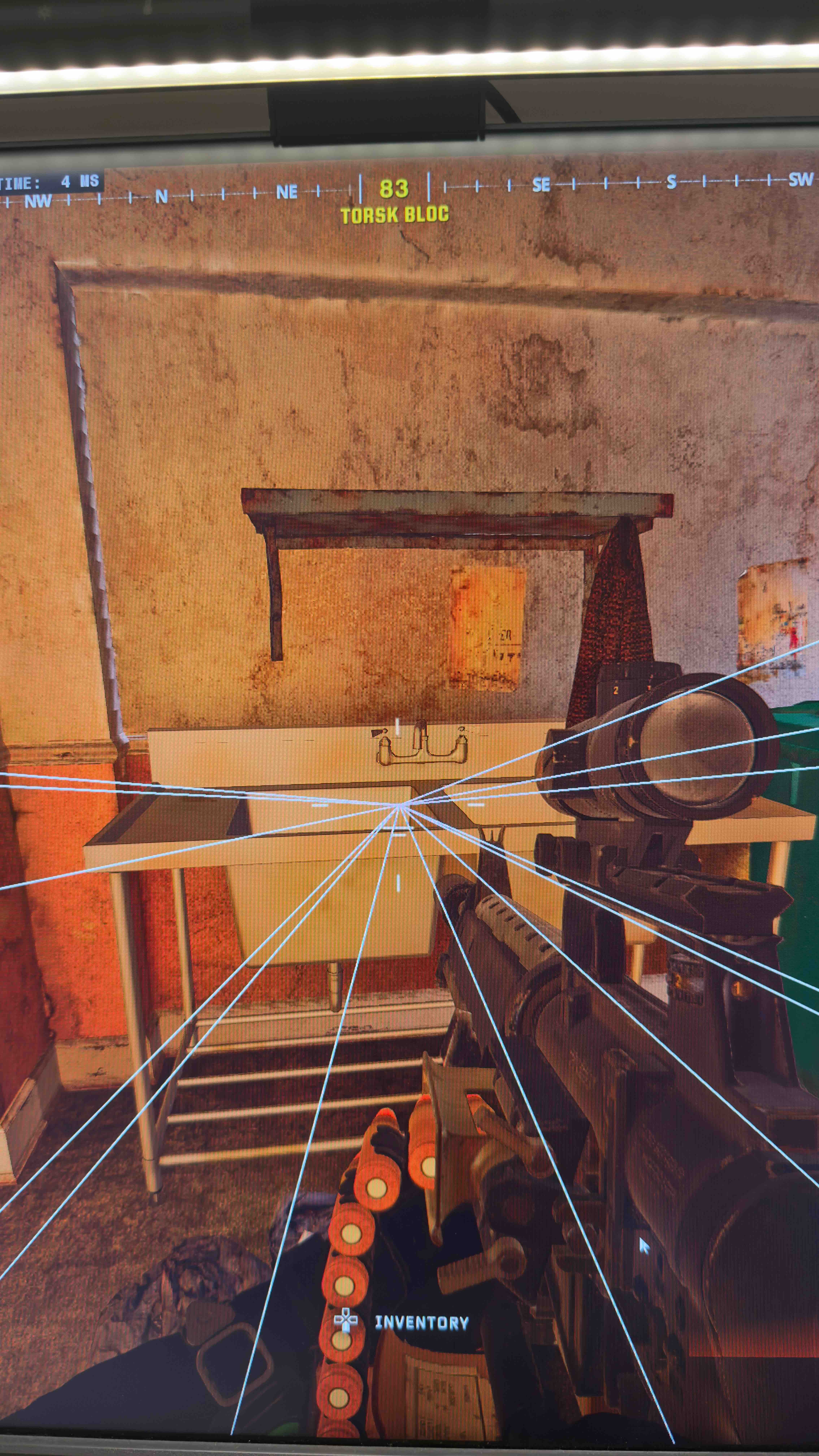
Is it possible to bring back the map radar like V1? Larger icons/arrows showing name, K/D etc and red to green when enemies are visual for A/B to work? This used to work well not running a fuser

Killstreak Item ESP please for cod :) ( For Drones/Airstrikes etc )
Are we going to be able to see the boxes loot in cod?

Are we going to be able to see the boxes loot in cod?
Brother it has been available since V1 😟
404: Signature Not Found.
Team Numbers in Player List and a Option to Add Friendly Player (for teaming)
It would be really great if we change the size of name/kd/team number/distance and life bar seperently. So that we can change the size of everything without changing the Front size that makes everything smaller.
Can we get the snapline back on the bottom like v1. I can’t see my opponents when shooting them. I would also like the snapline to turn a different color when visible and not visible just like Skelton @DIRECT
@DIRECT any news if where gonna get the snapline coming from bottom of the screen like v1?
v1 cod still work?
A suggestion here in the GUI would be to put a box around the areas that have checkboxes so end users don't have to guess where the actual check box needs to be enabled. Just a thought.
Can you add a shortcut to reset the cache?